Product tour

The cabinet, screen by screen.

Real screens of the DEVIATIC cabinet in the order you would use them, from the wallet list to the printed report. No form and no call.

Every screen shows synthetic data: the company, the people, the addresses and the transfers are invented.

  1. Step 1 of 8

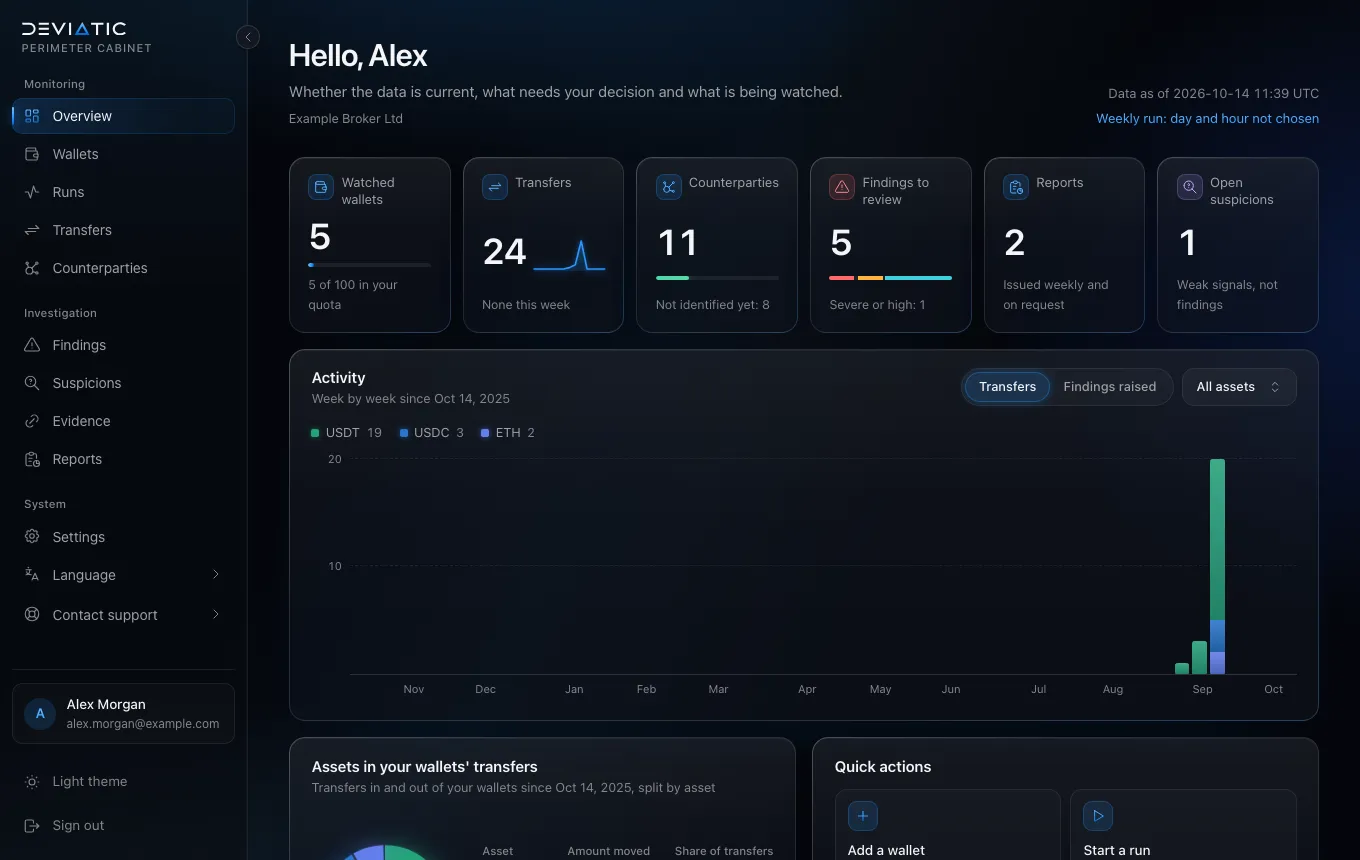
    Overview

    The first screen after sign-in: how many wallets you watch, what waits for a decision, the latest reports and the activity of your perimeter week by week.

    Cabinet overview: tiles for watched wallets, transfers, counterparties, findings to review, reports and open suspicions, above a weekly activity chart. (opens in a new tab)
  2. Step 2 of 8

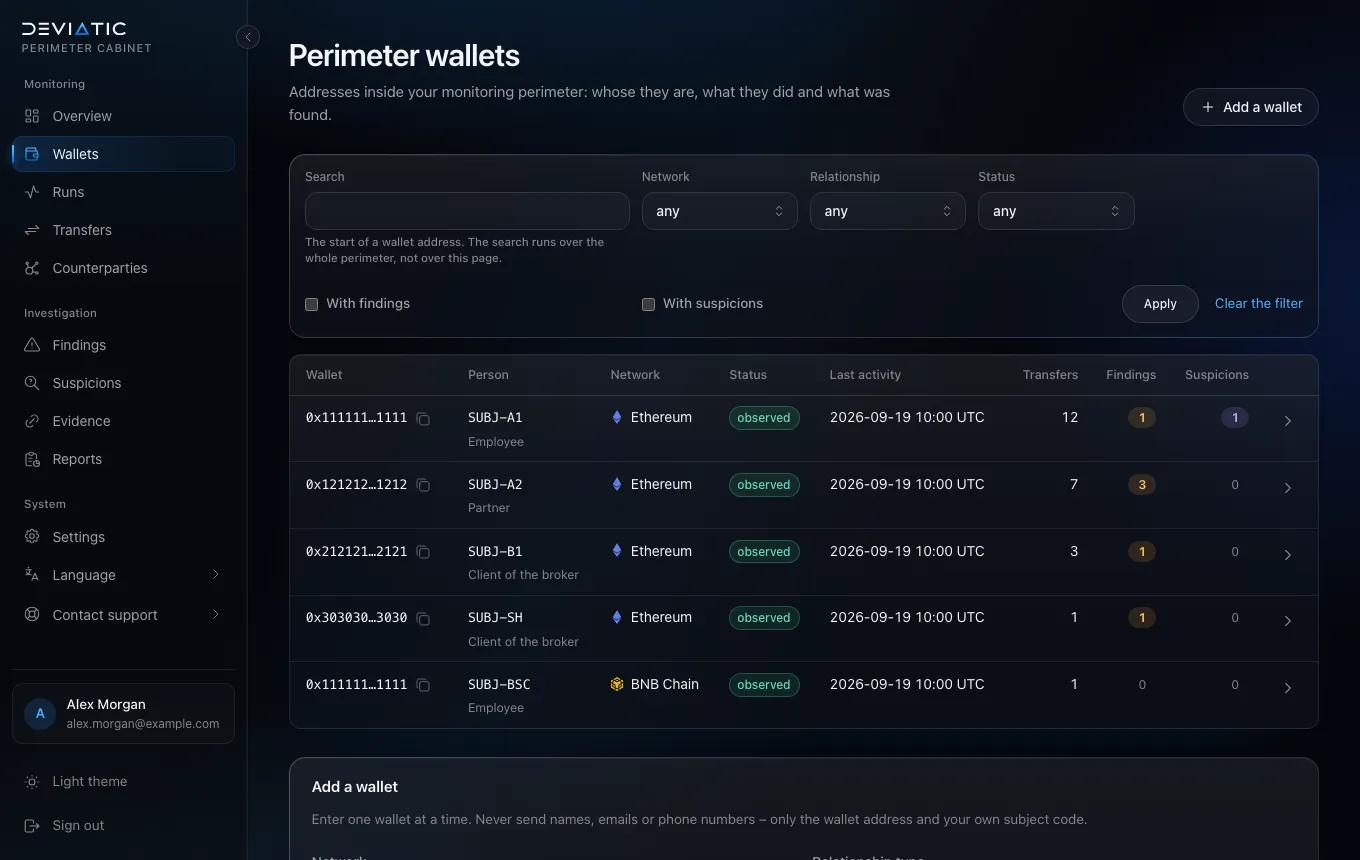
    Wallets and relationship types

    Every address carries a relationship type – employee, partner or client of the broker – and your own subject code. The cabinet keeps no names: the code is all it knows about the person.

    Wallet list: five addresses on two networks with subject codes such as SUBJ-A1, their relationship type, last activity and number of findings. (opens in a new tab)
  3. Step 3 of 8

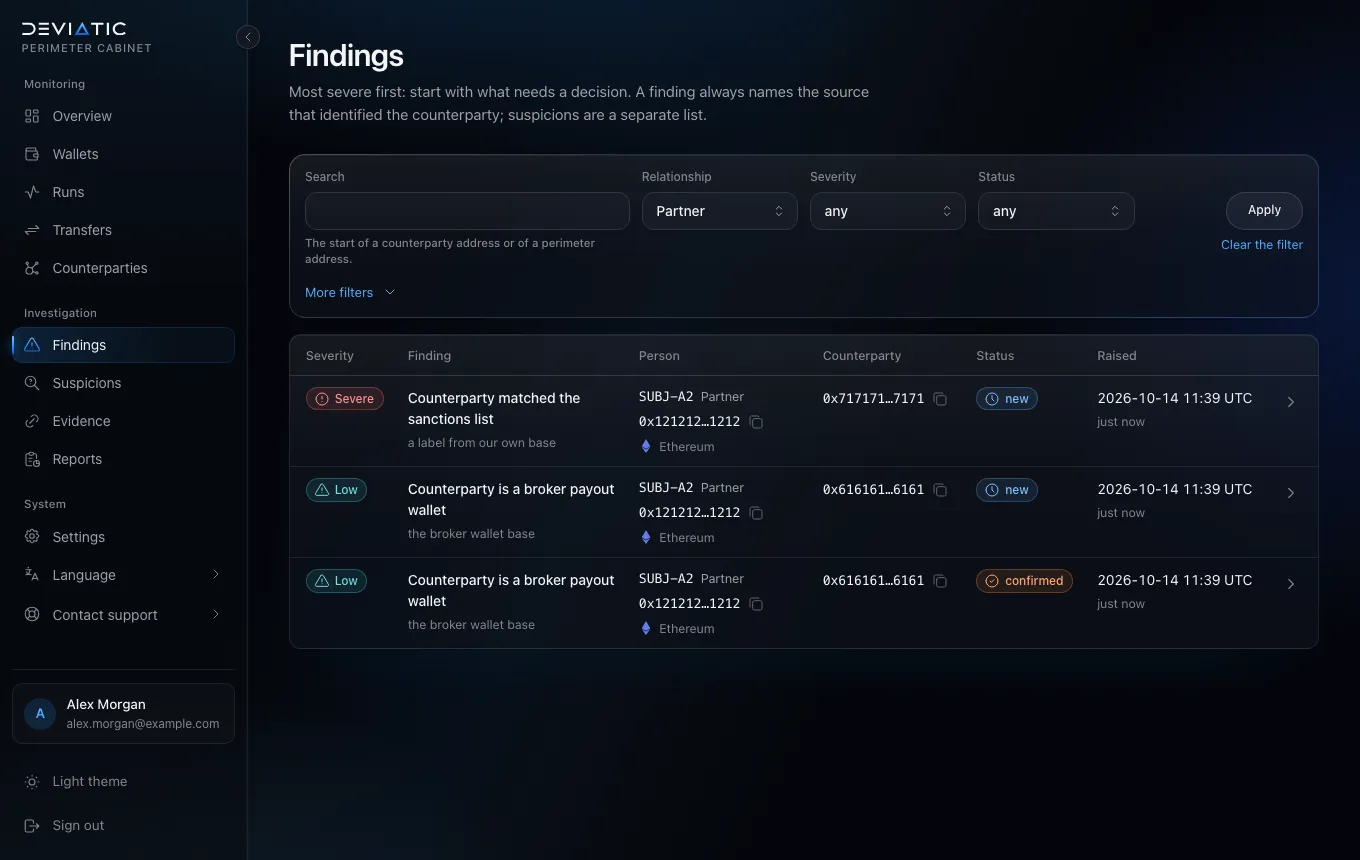
    Findings, filtered to partners

    Findings come most severe first, and each names the source that identified the counterparty. Filters narrow the list – here to partner wallets.

    Findings list filtered to partners: one severe finding for a sanctioned address and three low findings for a broker payout wallet, all for SUBJ-A2. (opens in a new tab)
  4. Step 4 of 8

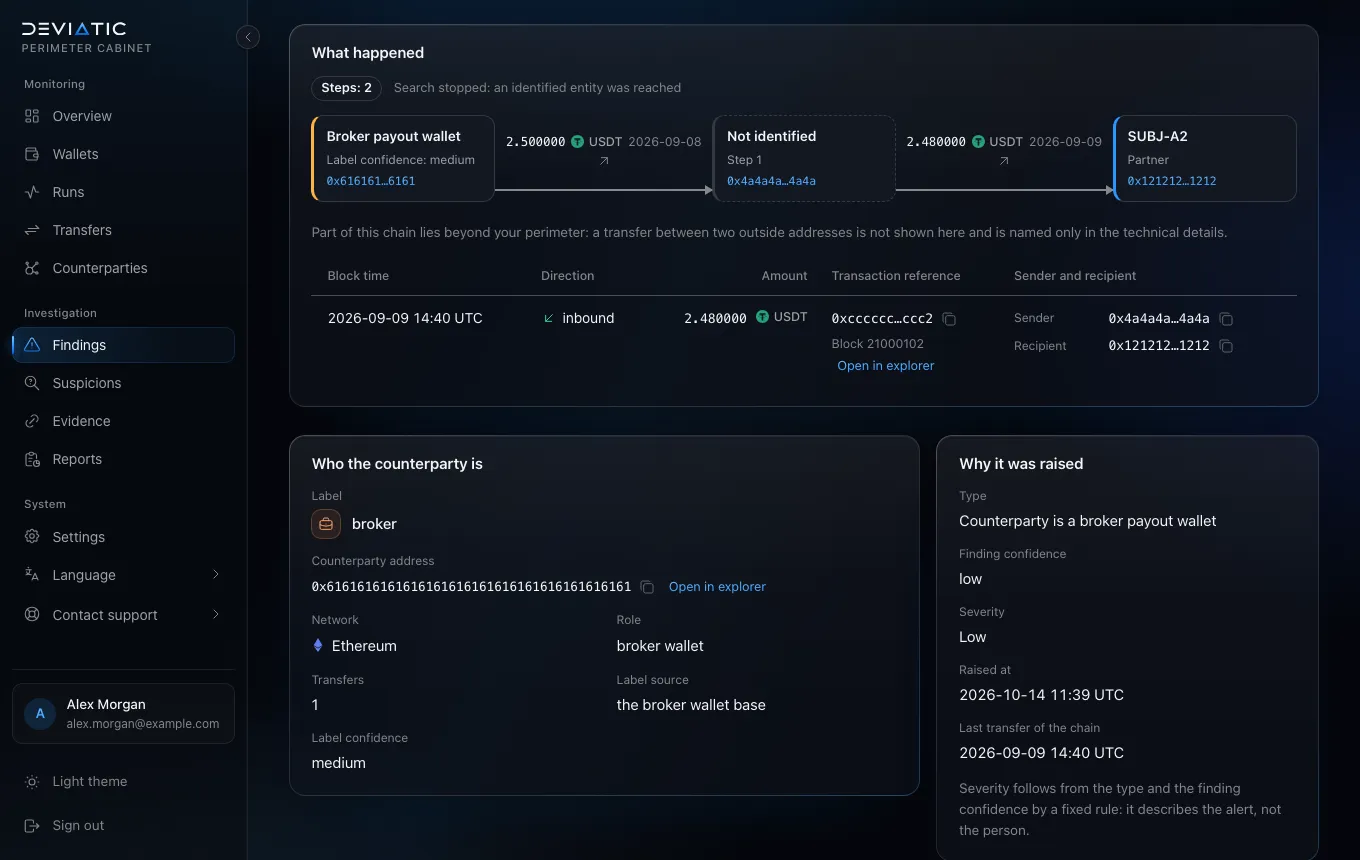
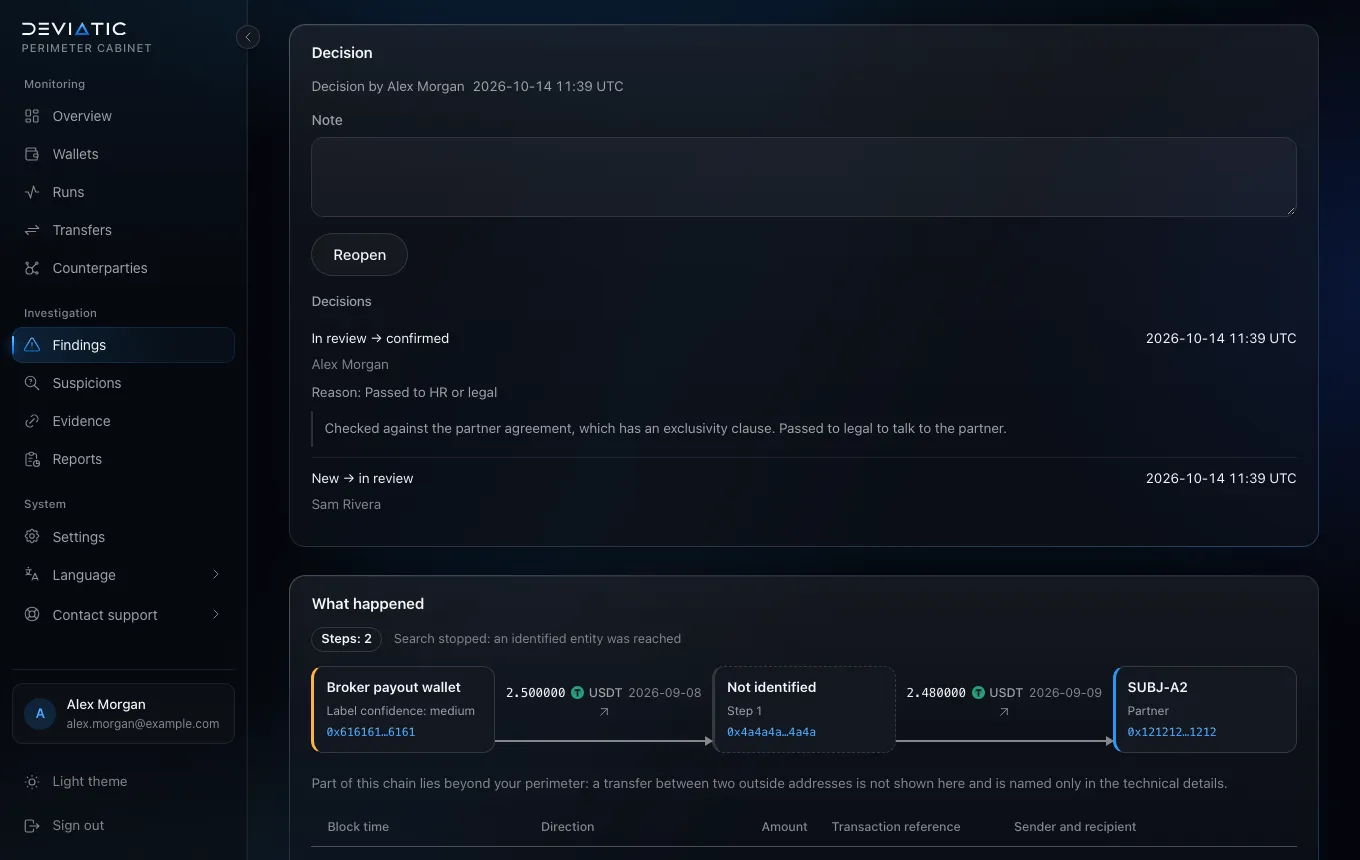
    The path behind a finding

    A finding shows the transfers it rests on and the route from the identified entity to your wallet, hop by hop, with every intermediate address and a link to a block explorer.

    Finding card: the route from a broker payout wallet through one unidentified address to the partner wallet SUBJ-A2, with amounts, dates and the cited transfer. (opens in a new tab)
  5. Step 5 of 8

    A decision with a reason

    Someone on your team takes the finding into review, and the decision is closed with a reason from a fixed list and a note. Every step keeps its author and time.

    Decision panel: Sam Rivera took the finding into review, and Alex Morgan confirmed it with the reason “passed to HR or legal” and a note. (opens in a new tab)
  6. Step 6 of 8

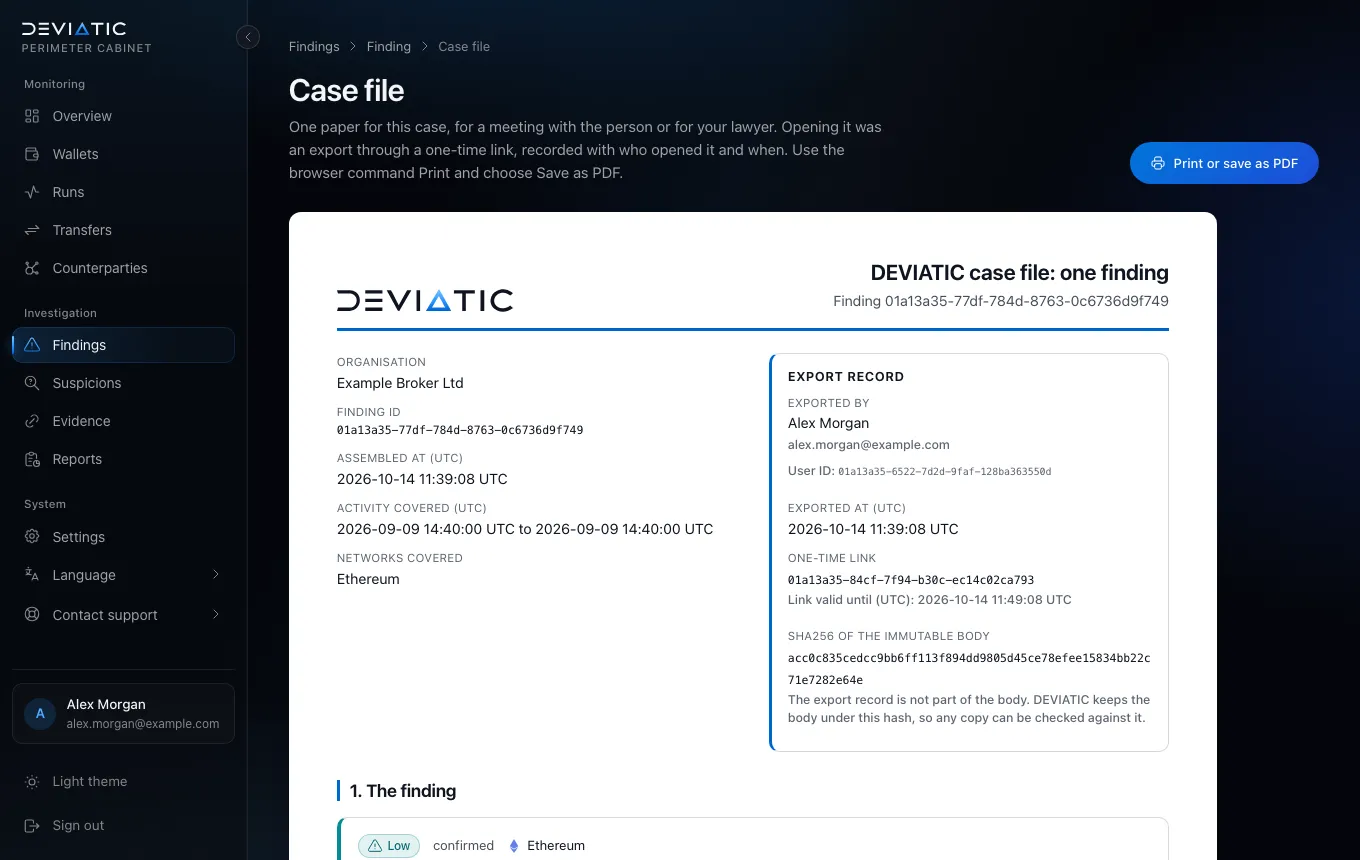
    A case file for one finding

    One document for a meeting with the person or for your lawyer: the finding, its path, the cited transfers, the decisions and the mandatory caveats, with a record of who exported it.

    Case file page: the DEVIATIC header, the organisation Example Broker Ltd, the finding ID and an export record with the name, time, one-time link and body hash. (opens in a new tab)
  7. Step 7 of 8

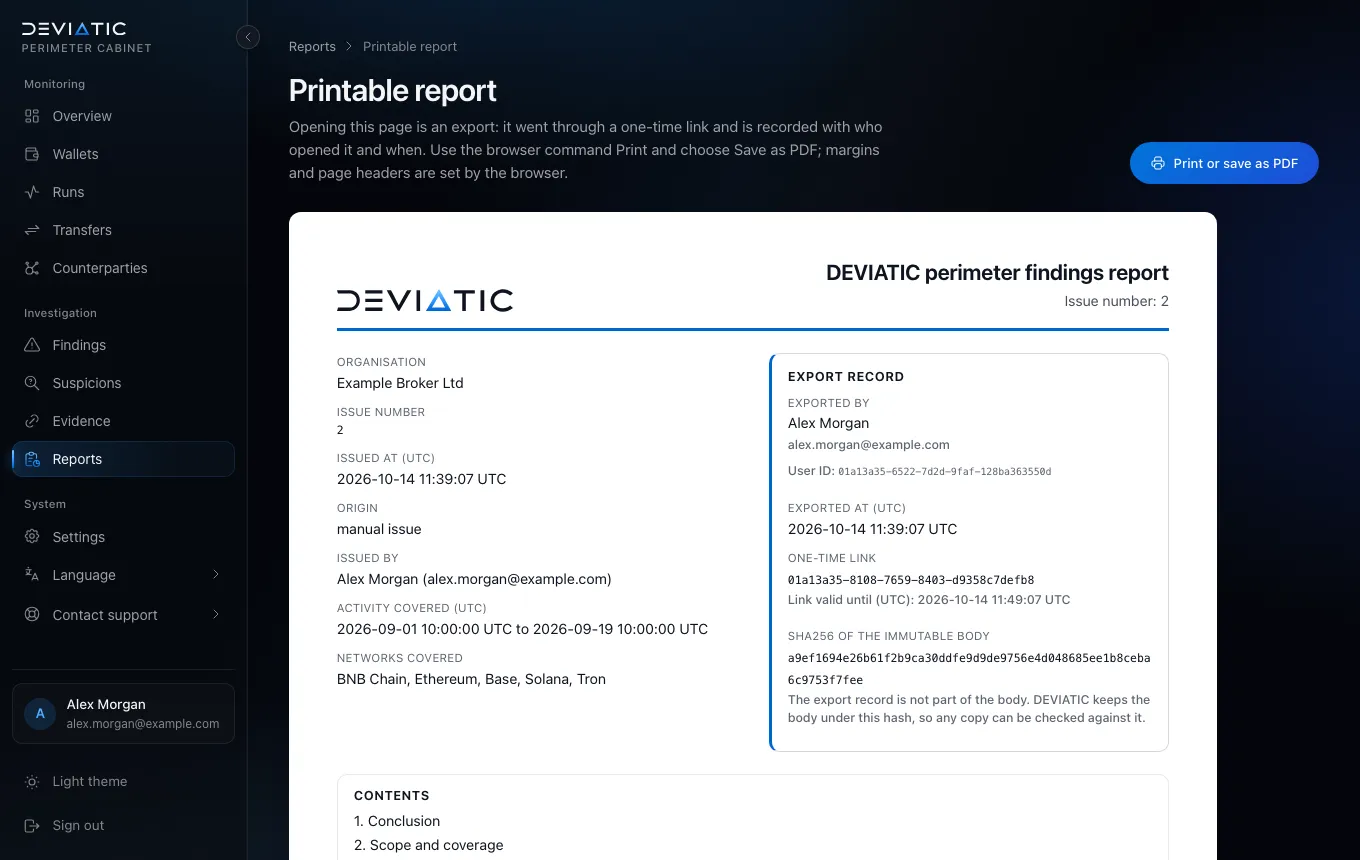
    The printed report

    The report for your compliance officer, DPO or auditor: conclusion first, numbered sections, every finding with its evidence, and a hash of the body that lets anyone check a copy. Your browser saves it as PDF.

    Printable report page: the report title and issue number, the organisation, the period and networks covered, the export record and the contents. (opens in a new tab)
  8. Step 8 of 8

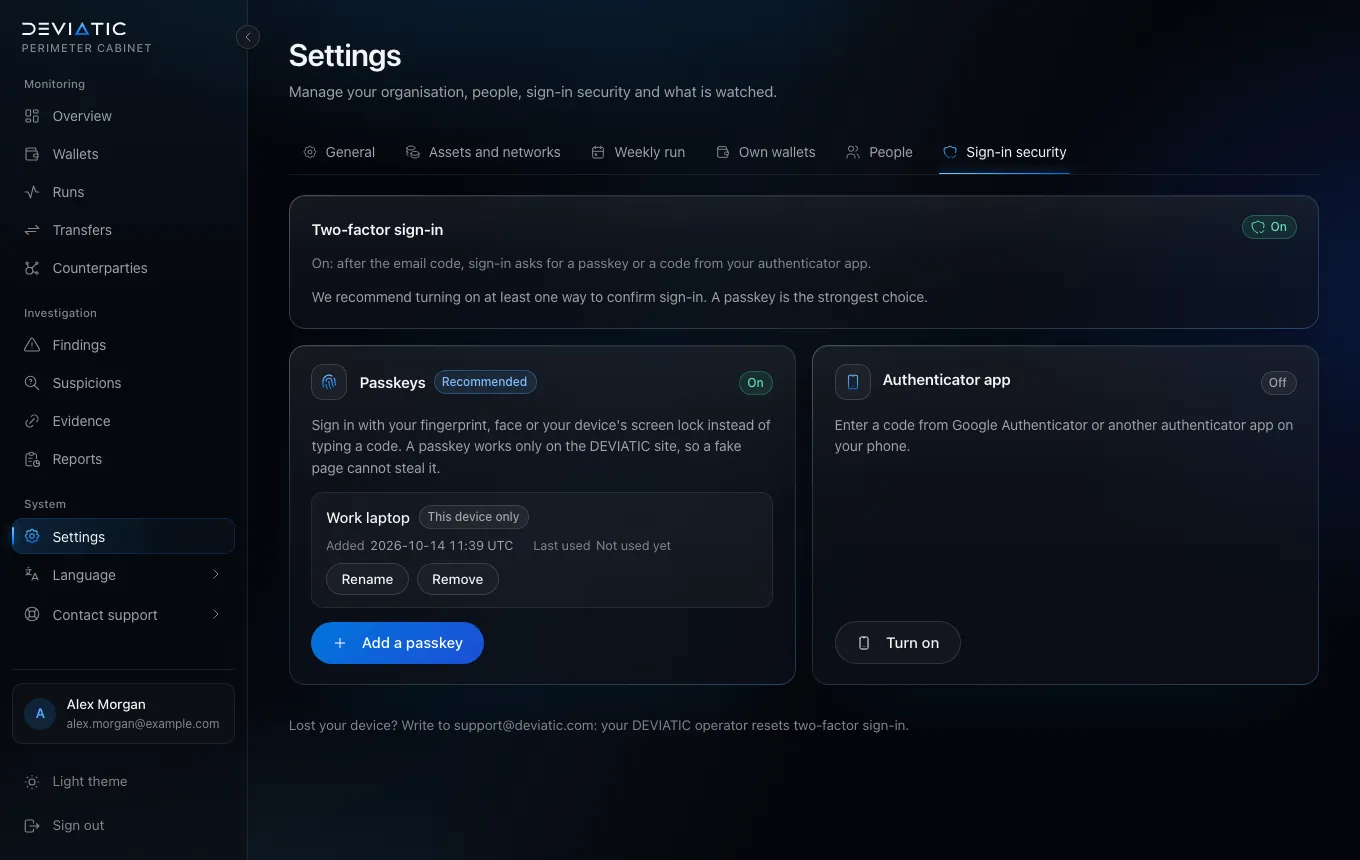
    Sign-in with a passkey

    An email code opens the cabinet. We recommend a second factor from day one: a passkey – fingerprint, face or screen lock – or an authenticator app.

    Sign-in security settings: two-factor sign-in on, one passkey named Work laptop, and the authenticator app option next to it. (opens in a new tab)

    See it on your own wallets.

    Send a request: we contact you, agree the contract and open your cabinet.

    Request Service